Job Application Tracker.
One clear view.
Your applications and documents, together.
Track each application from Not applied to Offer received, with its tailored resume and cover letter close at hand. Your first job appears when you tailor a resume for it.
Start tracking with JobOwl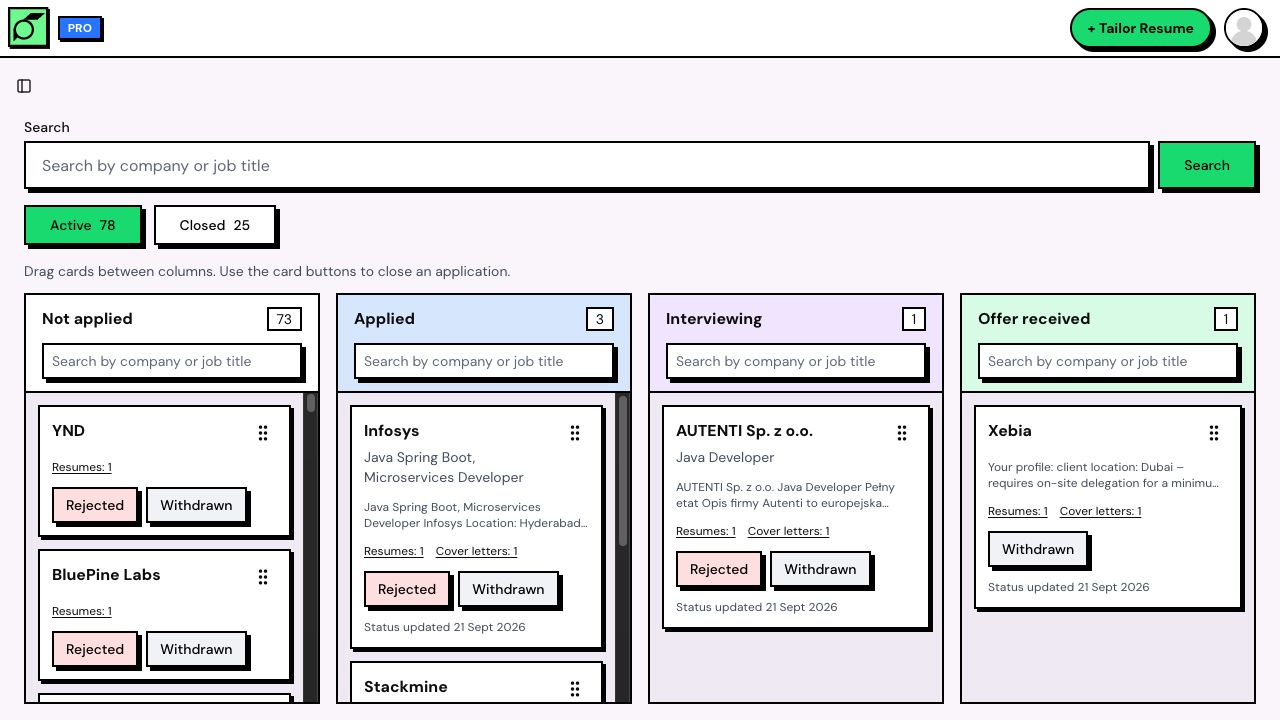
Your job search.
Finally, in one place.
JobOwl's job search tracker keeps each application with the tailored resume and cover letter you prepared for it.
See the whole picture
A visual board makes it easy to find the applications that need your attention.
Keep the right version
Your resume and cover letter stay attached to the job you created them for.
Find it in a second
Search by company or role across your board, or inside a single column.
Track every
application stage.
Move each job from Not applied to Applied, Interviewing and Offer received as you hear back. Just drag the card to its next stage to keep your board up to date.
Active opportunities stay in focus. Rejected and withdrawn applications have their own Closed view.
Open your application tracker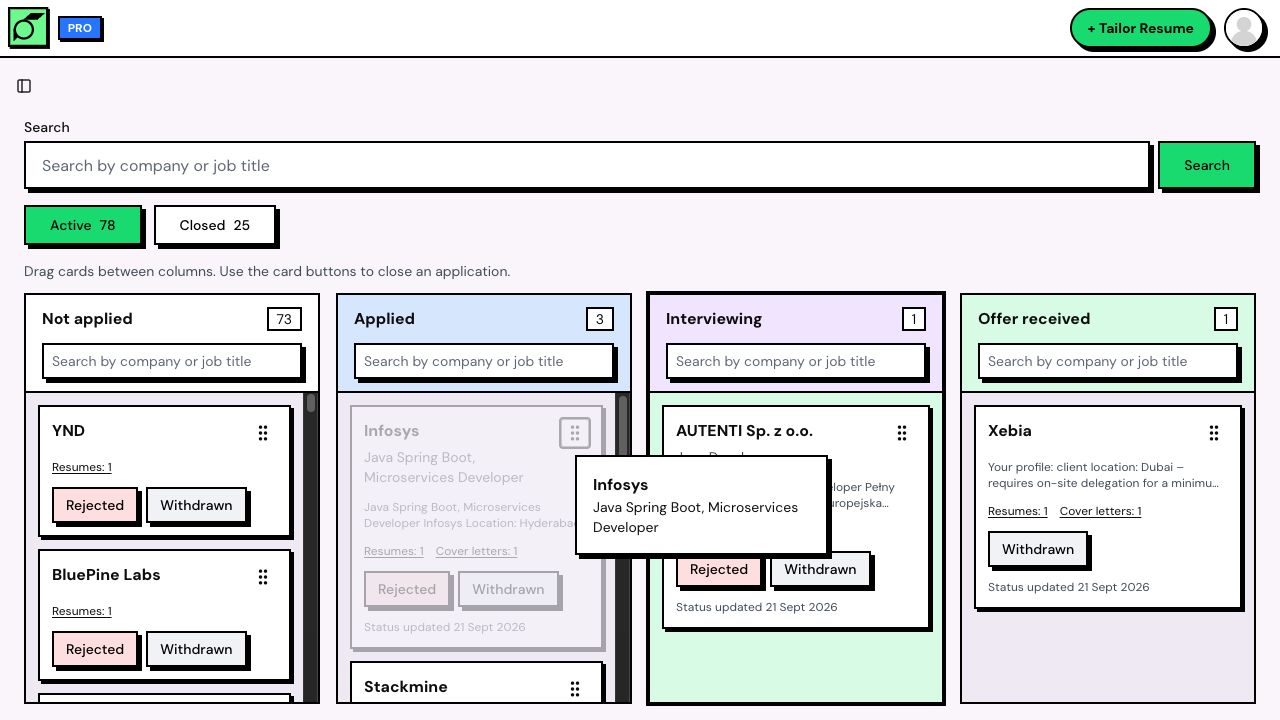
Every application.
The right documents.
Forget digging through downloads before an interview. Every tailored resume and cover letter lives with its job description.
Create another version for the same job. JobOwl keeps them together and marks the latest one, so you always know which document to reach for.
See how JobOwl tailors your resume to a job description, or find the keywords in a job description first.
Tailor your first resume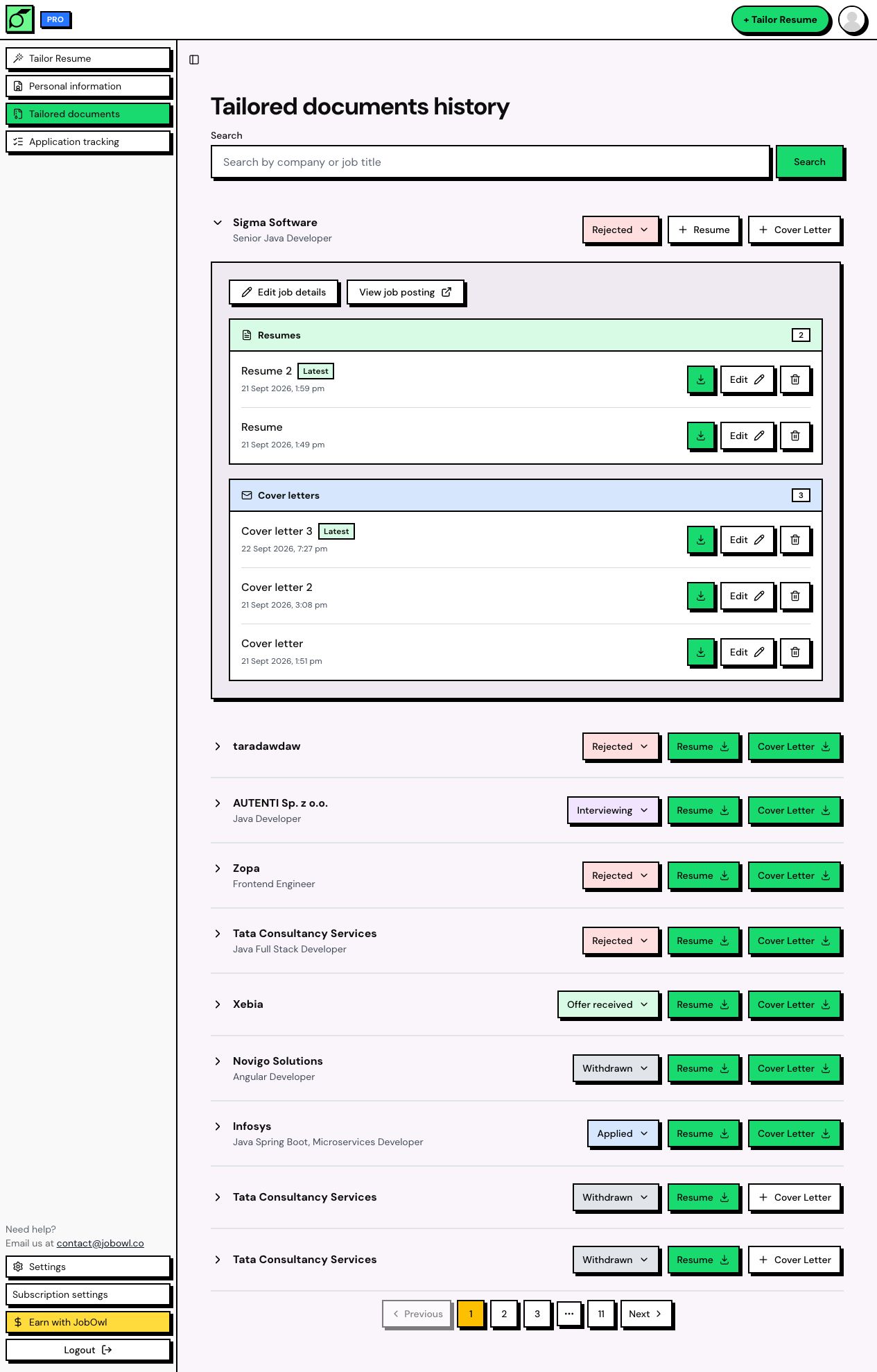
Your search doesn’t
stop at your desk.
Check in on your applications wherever you are. On your phone, swipe through the stages and hold a card to move it.
The same jobs. The same documents. A board that fits your screen.
Start tracking with JobOwl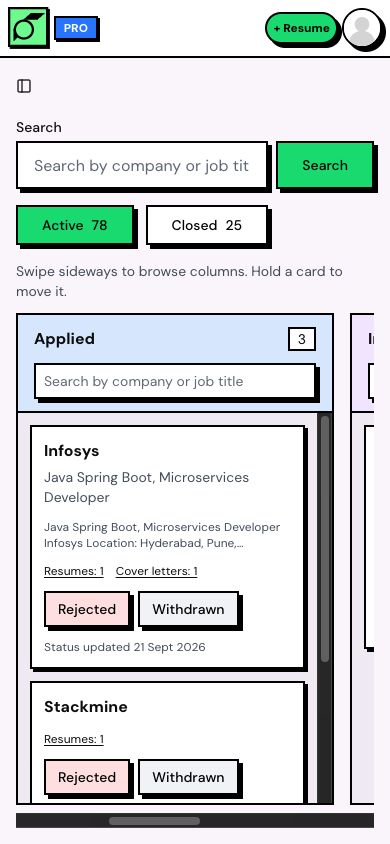
Start tracking in three steps.
Tailor a resume for a job, find it on your board, then update its status as your application moves forward.
- 1
Tailor your resume
Upload your resume and add the job description. Create a free account as you prepare a resume tailored to that role.
- 2
Find the job on your board
The job appears automatically in Not applied, with its tailored resume. Cover letters you create for that job stay on the same card.
- 3
Update its status
Mark it as Applied when you send your application, then move it forward as you hear back. Each card shows when its status last changed.
New accounts include 3 free tailored resumes. JobOwl Pro lets you tailor resumes for more jobs and create cover letters. See JobOwl plans.
What is a job application tracker?
A job application tracker keeps your applications and their statuses in one place. JobOwl uses a Kanban board: each job is a card, and each column is a stage. The jobs you prepare in JobOwl stay alongside their tailored resumes and cover letters, so your preparation and progress stay together.
How do jobs get added to my board?
Tailor a resume to a job description in JobOwl. That job appears on your application board automatically in Not applied, with a link to its tailored resume. Additional resumes and cover letters you create for the same job stay grouped together on its card.
Can I add a job without tailoring a resume?
Not at the moment. Jobs appear on your board when you create a tailored resume for them. There is no separate Add job form, so each card comes with the resume you prepared for that role.
Is the job application tracker free?
New accounts are free to create, need no credit card and include 3 tailored resumes, so you can track your first applications without paying. JobOwl Pro lets you tailor resumes for more jobs and create cover letters. Jobs already on your board stay there, and you can keep updating their status. Some accounts created under an earlier plan need Pro to open the board; if that applies to you, JobOwl tells you when you sign in.
How do I update an application's status?
On a computer, drag the card to another column. On a phone, hold the card and move it. Use the Rejected or Withdrawn button to close an application, or use the status controls in your document history. You can undo a status change right after making it.
Which application statuses can I use?
Not applied, Applied, Interviewing and Offer received on the Active board, plus Rejected and Withdrawn in the Closed view. New jobs start in Not applied. The stages are fixed; you cannot add custom stages.
Does JobOwl update my status or send reminders?
No. You update your progress yourself. JobOwl does not read your inbox, receive updates from employers or send reminders. If an application stays Applied for over a month without a status change, an Applied – stale label helps you spot jobs worth following up on.
Does the job tracker work on my phone?
Yes. Swipe sideways to browse the columns and scroll within a column to see its cards. Hold a card to move it, or use the status controls in your document history. Your board and documents are available in the same account on desktop and mobile.
A job search with
a little more direction.
Tailor a resume for a job you want. It goes straight onto your board, ready to track.
Start tracking with JobOwl